
5 Motorola Features Every Android Smartphone Should Have
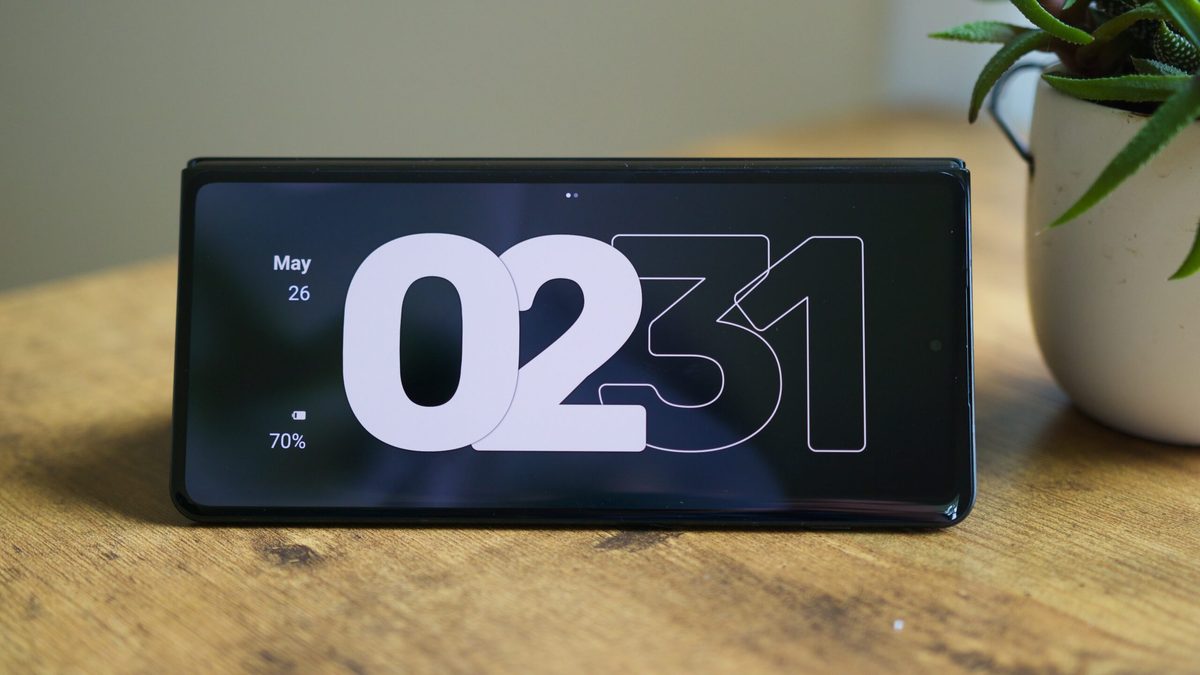
Photo: Android Authority
Quick answer
Motorola’s Hello UI skin includes useful features like gestures for quick camera and flashlight access, Desk Display mode for foldables, advanced Material You color customization, and media control without unlocking the…
Despite criticism for slow updates, Motorola’s Hello UI skin introduces several convenient features that could set the standard for all Android devices. One of the most notable is gesture-based access to the camera and flashlight. Two sharp wrist turns launch the camera, while a ‘chopping’ motion activates the flashlight—both work even with a locked screen. These solutions make device interaction more natural and faster.
For owners of Motorola foldables like the Razr Fold, the Desk Display mode is particularly useful. It displays time, notifications, weather, and media player controls on the external screen without requiring device unlock. Samsung’s similar feature is limited to tablets, making Motorola’s solution unique for foldables.
Another advantage of Hello UI is its advanced Material You customization. Unlike most manufacturers offering limited color schemes, Motorola allows users to select any shade using a color wheel or an eyedropper to extract colors from images. This provides greater freedom in tailoring the interface to personal preferences.
Media control via volume buttons is another convenient feature absent in many competitors. With the screen off, holding the volume buttons lets users skip tracks, ideal for listening to music before sleep. Finally, the Smart Connect app enables wireless smartphone-to-PC integration, including screen mirroring, using the phone as a webcam or secondary monitor, and synchronizing clipboard and files.
Common questions
- What gestures are available on Motorola smartphones?
- Motorola supports gestures for quick camera access (two sharp wrist turns) and flashlight activation (double ‘chopping’ motion). These functions work even with a locked screen.
- What is Desk Display on Motorola devices?
- Desk Display is a mode for Motorola foldables that shows time, notifications, weather, and media player controls on the external screen. It allows quick access to information without unlocking the device.
- How does Motorola’s media control via volume buttons work?
- In sound settings, users can enable a feature that lets them switch tracks by holding volume buttons with the screen off. This simplifies music control, such as during sleep.
- How does Motorola’s Smart Connect differ from alternatives?
- Smart Connect offers wireless smartphone-to-PC integration, including screen mirroring, using the phone as a webcam or secondary monitor, and clipboard/file synchronization. It supports Android, Windows, and partially iOS.
Dzen feed: /feed/dzen.xml · RSS: /feed.xml