
8 Ways to Optimize Zorin OS for Maximum Performance
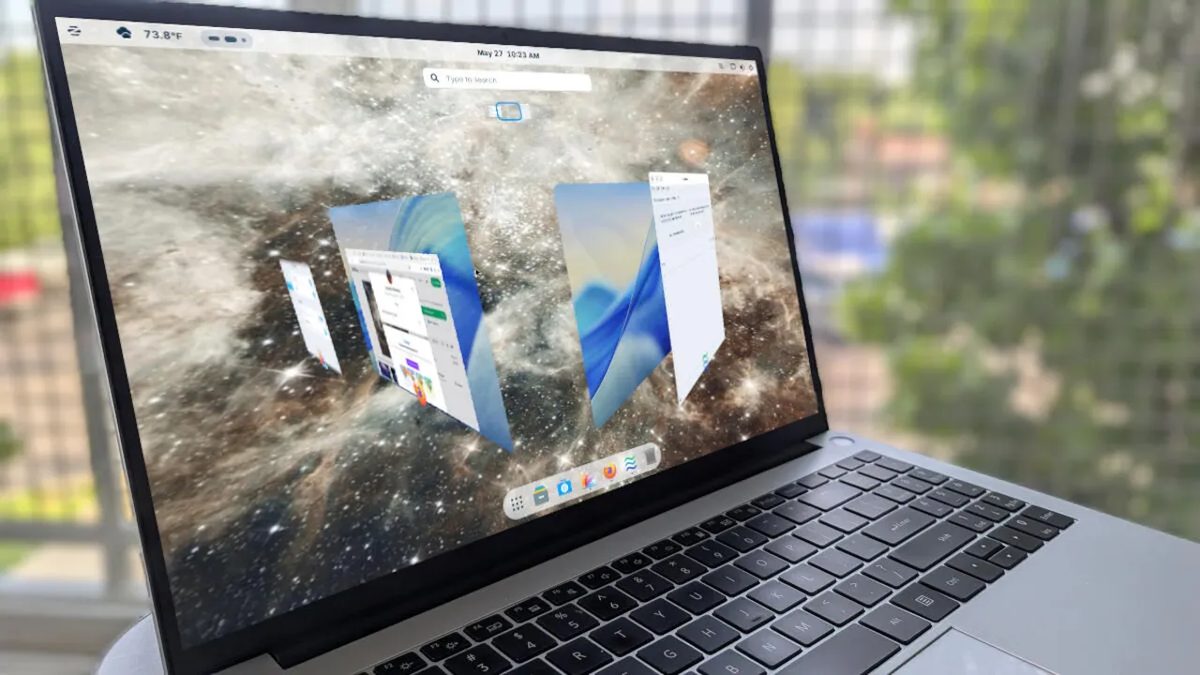
Photo: ZDNet
Quick answer
Zorin OS is widely regarded as one of the best Linux distributions, balancing ease of use with extensive customization options.
Zorin OS has earned a reputation as one of the most user-friendly Linux distributions, particularly for users transitioning from other operating systems. However, even a system that works well out of the box can be further optimized for specific tasks and personal preferences. A Linux expert with years of experience shares proven configurations they apply with every Zorin OS installation.
The first step involves selecting a desktop layout using the Zorin Appearance tool. The free version offers four design options, while the Pro version provides eight. Users can adapt the interface to match familiar styles, such as mimicking macOS. It’s also recommended to enable Zorin Dash—a dock-like panel that can be customized for transparency and other settings to improve workflow efficiency.
For seamless integration with online services like Google accounts, the Online Accounts feature is available. It synchronizes calendars, emails, and contacts without requiring manual setup for each application. Among the visual enhancements are Jelly Mode, which adds window-movement animations, and Desktop Cube, which creates a 3D representation of virtual desktops. These features do not impact performance but make the system more enjoyable to use.
To boost window management efficiency, the expert advises enabling Advanced Window Tiling. This feature allows quick screen organization using hotkeys or drag-and-drop. Another critical step is configuring Secure Shell (SSH) for remote system access. Simply activate the toggle in settings and retrieve the device’s IP address via the ip a terminal command.
Common questions
- Common questions
- Zorin OS is widely regarded as one of the best Linux distributions, balancing ease of use with extensive customization options.
Dzen feed: /feed/dzen.xml · RSS: /feed.xml