
Android 17 for Pixel 9 Pro: New Multitasking Features and More
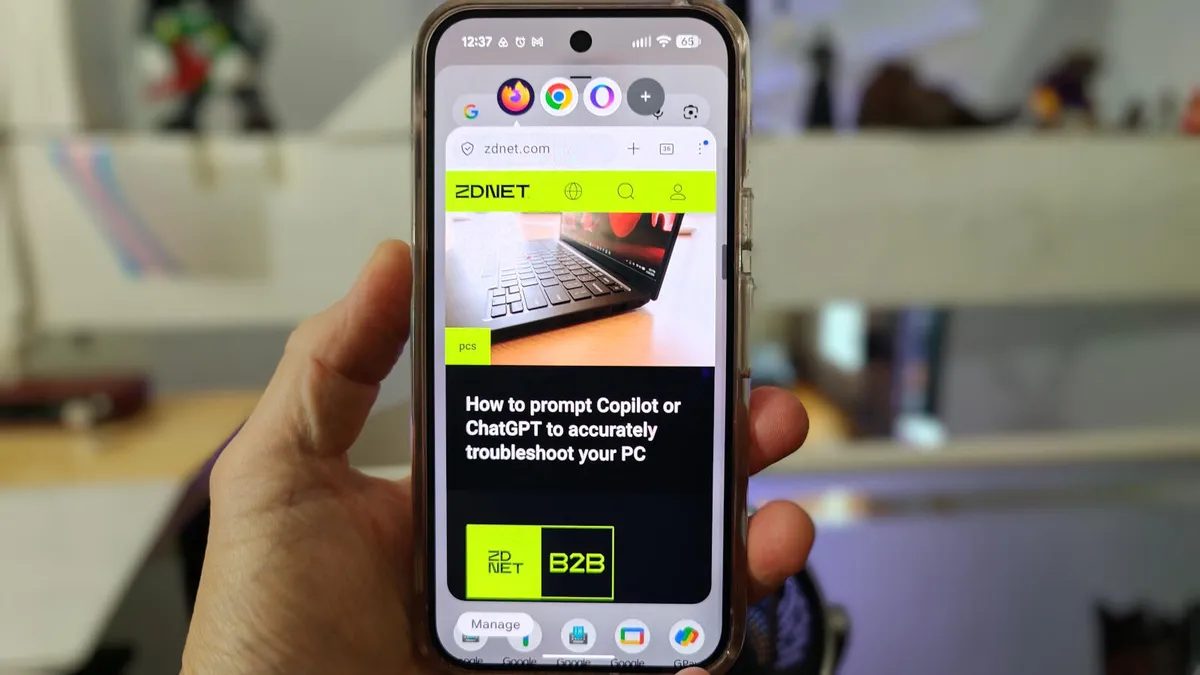
Photo: ZDNet
Quick answer
Android 17 for Pixel 9 Pro introduces desktop mode, floating app windows, improved HDR support, screen recording with the front camera, and expanded Linux app compatibility.
Google has begun rolling out the Android 17 update for Pixel smartphones. The new OS version introduces several notable improvements, particularly features aimed at boosting productivity and usability.
One of the standout additions is the desktop mode, which allows users to connect their phone to an external monitor, Bluetooth keyboard, and mouse. In this mode, Android transforms into a full desktop environment, akin to Samsung DeX. This feature is especially useful for users who need a mobile workspace without carrying a laptop.
Another significant innovation is floating app windows. This feature lets users "pin" frequently used apps as pop-up windows on the home screen. Users can quickly switch between them without closing the current app. To activate, simply long-press an app icon and select the relevant option from the menu. While not all apps support this feature yet, its implementation shows great promise.
For content creators and technical experts, the ability to record the screen with the front camera will be particularly useful. This allows users to demonstrate on-screen actions while providing commentary, simplifying the explanation of complex processes. Android 17 also improves HDR content support, enabling users to adjust brightness and contrast for richer video and image display.
The update also includes experimental support for running Linux graphical applications via the built-in terminal. While still in its early stages and not yet ready for full-scale use, this feature could open new possibilities for developers and enthusiasts in the future.
Common questions
- What are the main new features in Android 17?
- Android 17 adds desktop mode, floating app windows, enhanced HDR support, front-camera screen recording, and expanded Linux app compatibility.
- How does the desktop mode work in Android 17?
- Desktop mode allows users to connect their phone to an external monitor, keyboard, and mouse, turning it into a full desktop environment similar to Samsung DeX.
- Who benefits most from floating app windows?
- Floating windows enhance multitasking by letting users quickly switch between apps without minimizing the current window, ideal for those juggling multiple programs.
Dzen feed: /feed/dzen.xml · RSS: /feed.xml