
Aura Glass: New Glassy Style for GNOME with Blur Effect
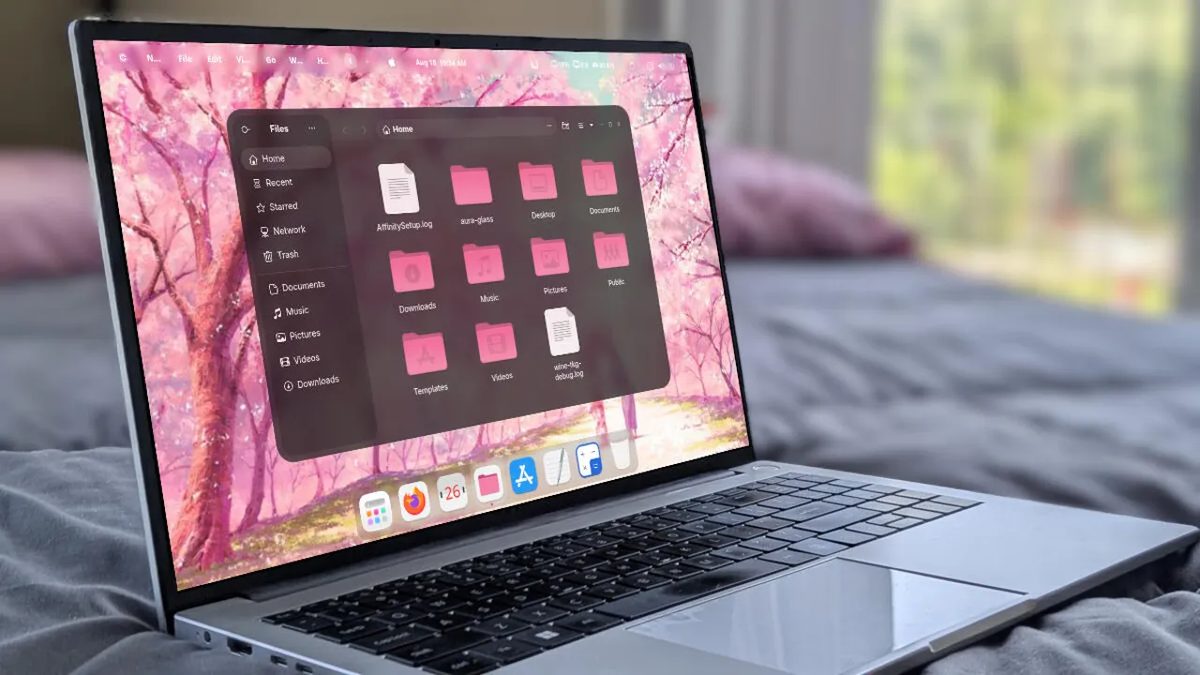
Photo: ZDNet
Quick answer
Aura Glass is a new GNOME theme featuring blur effects, adaptive colors, and window transparency. It supports Linux distributions like Ubuntu, Fedora, Debian, Arch, and CachyOS, and is compatible with GNOME 48–50.
Aura Glass is a new GNOME desktop theme that modernizes the interface with a frosted glass effect. The solution includes dynamic background blur, adaptive accent colors, and customizable window transparency, enhancing the visual appeal of the workspace without sacrificing functionality.
The theme is compatible with GNOME versions 48, 49, and 50, and supports popular Linux distributions: Ubuntu, Debian, Fedora, Arch, and CachyOS. Installation is performed via the command line using Git. After cloning the repository, users can configure settings such as accent color, blur level, icon and cursor themes, and additional extensions.
Despite its visual enhancements, Aura Glass remains a lightweight solution that does not significantly burden the system. However, for optimal performance, at least 6GB of RAM and 4 CPU cores are recommended. The theme also supports GDM login screen customization, ensuring a consistent style throughout the workflow.
Developers describe Aura Glass as one of the most impressive GNOME customization solutions in recent years. The theme is ideal for users who value aesthetics and wish to personalize their desktop without complex configurations.
Common questions
- What is Aura Glass?
- Aura Glass is a GNOME desktop theme that adds frosted glass effects, background blur, and adaptive accent colors. It is compatible with multiple Linux distributions and enhances visual interface perception.
- Which Linux distributions support Aura Glass?
- The theme works on Ubuntu, Debian, Fedora, Arch, and CachyOS. GNOME versions 48, 49, or 50 are required.
- How do I install Aura Glass?
- Installation is done via the command line using Git. Clone the repository, run the installation script, and follow the setup wizard instructions.
- Does Aura Glass impact system performance?
- Minimal delays may occur on low-end systems, but modern setups (6+ GB RAM, 4+ cores) ensure smooth operation without overloading the system.
Dzen feed: /feed/dzen.xml · RSS: /feed.xml