
ChatGPT for Mac Gains User Activity Memory Feature
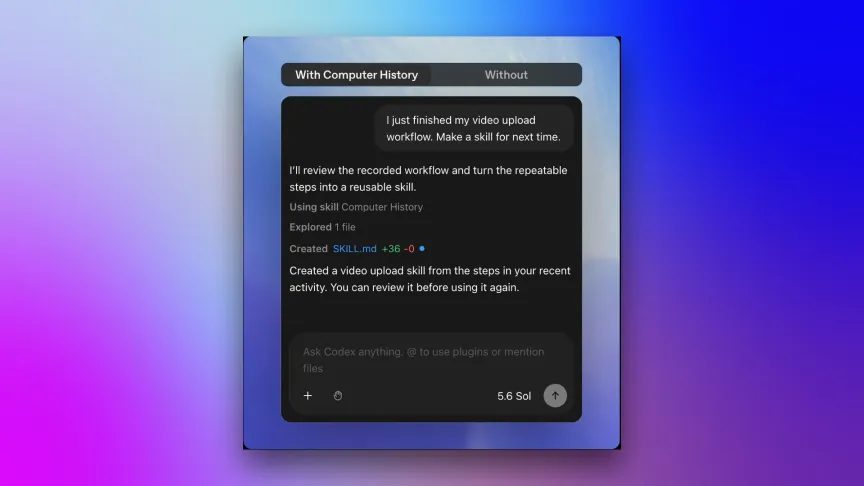
Photo: CNET
Quick answer
OpenAI launched the Computer History feature in ChatGPT for Mac, allowing the AI to track user actions via macOS accessibility API for improved personalization.
OpenAI has introduced a new Computer History feature for ChatGPT on macOS, enabling the AI assistant to remember user actions—from keystrokes to app switching—and use this data to generate personalized suggestions and automate repetitive tasks. The feature is exclusive to Pro, Business, and Enterprise subscribers, with corporate account administrators able to restrict employee access.
Unlike similar solutions like Microsoft’s Windows Recall, Computer History does not store screenshots or audio recordings. Instead, it leverages macOS’s accessibility API to track user actions without capturing file contents. However, OpenAI cautions that the collected data may include sensitive information and is stored unencrypted, meaning other apps on the device could theoretically access these files.
Users can customize tracking settings: selecting which apps and websites to monitor, pausing recording, or deleting their activity history. Data is processed in the cloud but stored locally on the device. The company states it does not use this information to train models or retain it without legal justification. Currently available only on macOS, future support for Windows and mobile platforms may be introduced.
Common questions
- What data does Computer History collect in ChatGPT?
- The feature logs clicks, keystrokes, app switches, and context via macOS accessibility API. Screenshots and voice data are not recorded.
- Can I disable activity tracking in ChatGPT?
- Yes, users can select monitored apps, pause tracking, or delete their activity history entirely.
- What risks does the Computer History feature pose?
- Collected data is unencrypted and may be accessible to other apps on the device. OpenAI warns of potential confidential information leaks.
Dzen feed: /feed/dzen.xml · RSS: /feed.xml