
Google Drive Gets Major AI-Powered Document Scanner Upgrade
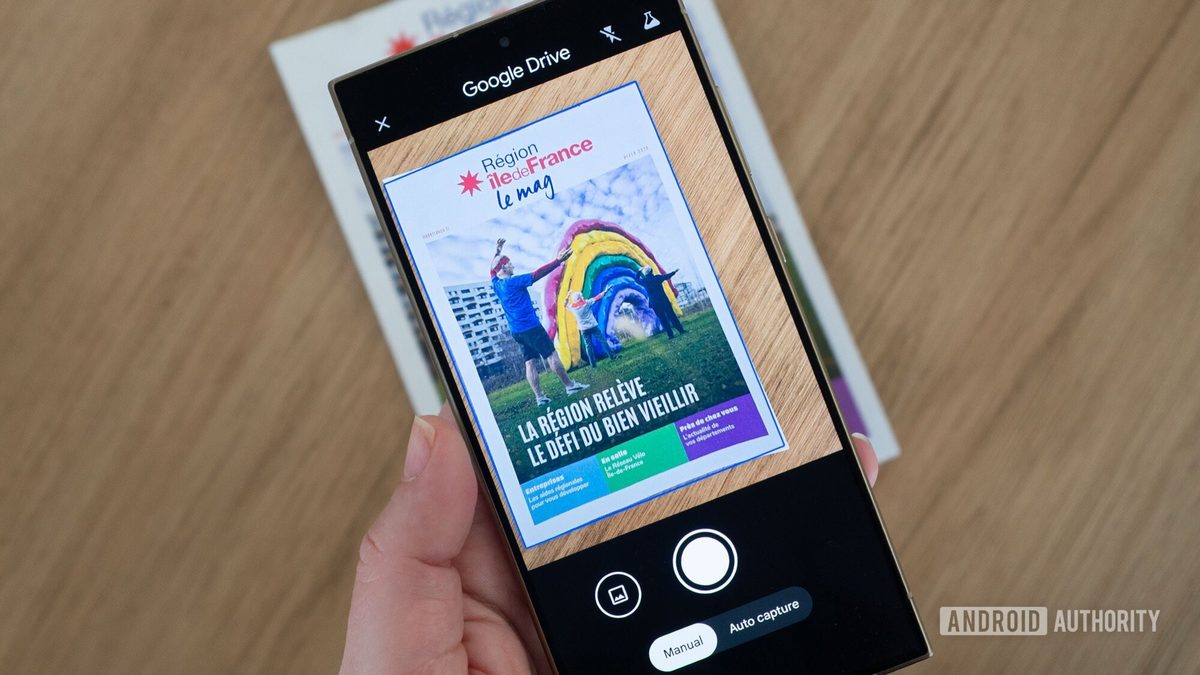
Photo: Android Authority
Quick answer
Google Drive обновил встроенный сканер документов с ИИ: теперь можно сканировать несколько страниц подряд, система сама выбирает лучшие кадры и удаляет дубликаты.
Google Drive has rolled out a major update to its built-in document scanner, making it faster and more efficient to work with paper materials. The new version introduces Smart Batch Scanning, allowing users to scan multiple pages consecutively without manually photographing each one. Simply point the camera at the documents, and the system will automatically recognize and save them as a PDF.
Other improvements include Auto-Best Frame, which replaces blurry shots with clearer versions, and Duplicate Detection, which eliminates redundant pages. The scanner’s interface has also been redesigned with Material 3 Expressive styling, offering a more modern and minimalist look. Users can pause the scanning process or select existing photos from their gallery.
The upgraded scanner operates via Google Play Services and leverages device processing power, ensuring high-speed performance, offline scanning capabilities, and data security. Currently, the feature is available only on Android devices with 8GB RAM or more. This solution is particularly useful for users who frequently scan receipts, contracts, educational materials, or business documents.
Common questions
- Какие новые функции появились в сканере Google Drive?
- В обновлённом сканере Google Drive реализованы Smart Batch Scanning (сканирование нескольких страниц подряд), Auto-Best Frame (автоматический выбор чётких кадров) и Duplicate Detection (исключение дубликатов страниц). Также обновлён интерфейс в стиле Material 3 Expressive.
- На каких устройствах доступно обновление сканера Google Drive?
- Обновлённый сканер доступен только на Android-устройствах с 8 ГБ оперативной памяти и выше. Функция работает на базе Google Play Services и поддерживает офлайн-сканирование.
- Как работает Smart Batch Scanning в Google Drive?
- Smart Batch Scanning позволяет сканировать несколько страниц подряд без ручного захвата каждой. Достаточно навести камеру на документы, и система автоматически распознает и сохраняет их в виде PDF.
- Можно ли приостановить процесс сканирования в Google Drive?
- Да, пользователи могут приостановить процесс сканирования или выбрать уже сделанные фотографии из галереи. Обновлённый интерфейс позволяет удобно управлять процессом.
Dzen feed: /feed/dzen.xml · RSS: /feed.xml