
Google Earth Unveils Built-in Flight Simulator for All Users
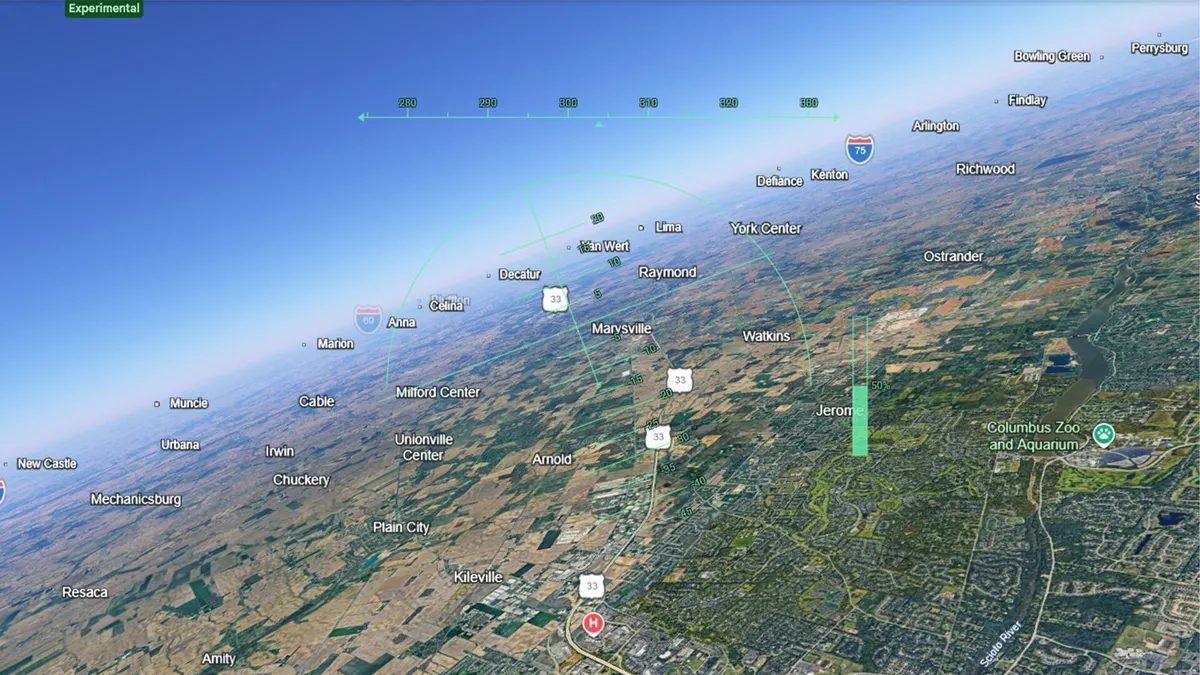
Photo: CNET
Quick answer
Google Earth has made its built-in flight simulator freely accessible via the web version. Users can now 'fly' over real-world landscapes using satellite imagery without installing additional software.
Google Earth has expanded the functionality of its web version by adding a built-in flight simulator. Previously, this feature was only available in the desktop app, but now it can be launched directly in a browser without installing additional software. The move aligns with Google’s strategy of bringing professional tools to online interfaces.
The Google Earth flight simulator uses real satellite imagery and aerial photography, allowing users to 'fly' over authentic landscapes of the planet. Controls are handled via keyboard or mouse: arrow keys adjust pitch and roll, while Page Up/Page Down keys control engine thrust. The game requires no high-end hardware and runs smoothly on low-spec devices.
While the simulator falls short of the realism offered by projects like Microsoft Flight Simulator, it delivers a unique experience of flying over global landmarks. Users can glide under the Golden Gate Bridge or circle Mount Rushmore. Designed as an entertainment feature rather than a professional tool, its simplicity and accessibility make it appealing to a broad audience.
Common questions
- How do I launch the flight simulator in Google Earth?
- Visit the Google Earth website, select a takeoff location on the map, then activate the 'Flight Simulator' mode in the 'Tools' menu. Control is via keyboard or mouse.
- How does Google Earth Flight Simulator differ from Microsoft Flight Simulator?
- Google Earth uses real satellite imagery and aerial photography instead of rendered graphics. Controls are simpler, realism is lower than professional simulators, but it requires no powerful hardware.
- Is there a fee to access the flight simulator?
- No, the feature is completely free and available to all users through a web browser.
Dzen feed: /feed/dzen.xml · RSS: /feed.xml