
Google Health Expands Metrics Display on Home Screen
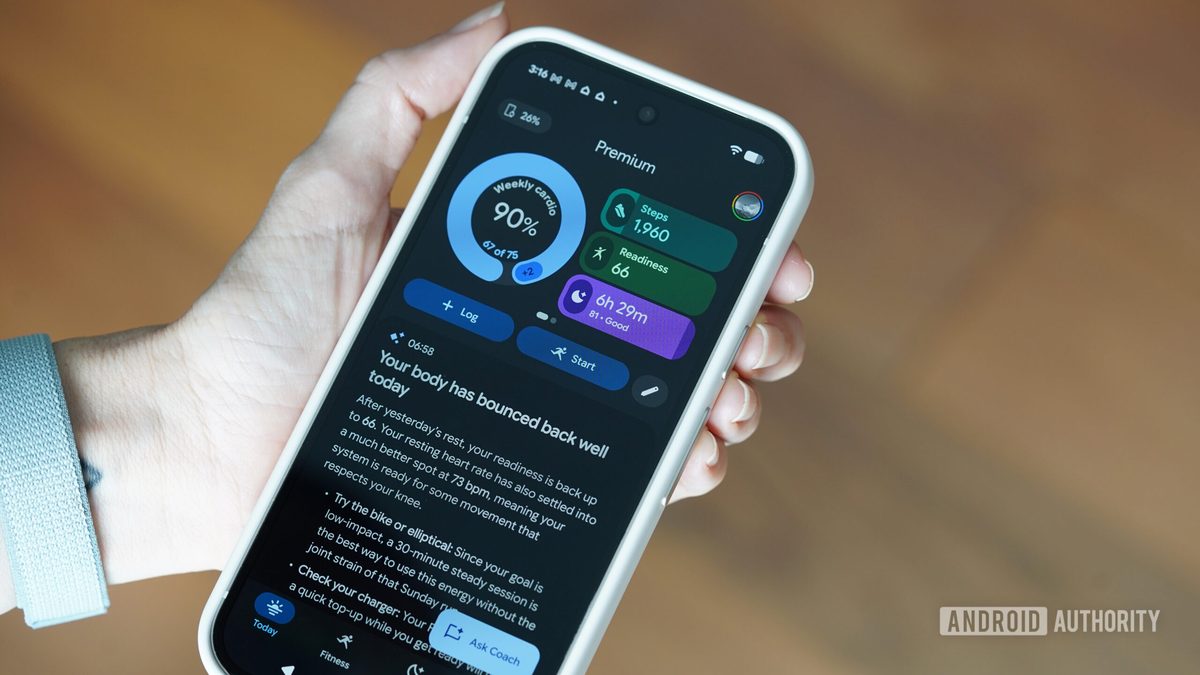
Photo: Android Authority
Quick answer
Google Health updated its app to version 5.03, adding 13 new metrics to the home screen, such as blood glucose levels, breathing rate, and heart rate variability.
Google Health continues to expand the capabilities of its app, previously known as Fitbit. The 5.03 update introduces several user-friendly improvements, allowing users to display significantly more metrics on the "Today" home screen that were previously only available in the "Health" section.
New metrics include blood glucose levels, breathing rate, heart rate variability, blood oxygen saturation (SpO2), carbohydrate, fat, and protein intake, as well as resilience and skin temperature variation. A total of 13 new tiles are now available for users to add to their home screen for quick access to critical health data.
The update also introduces support for daytime sleep tracking. Naps lasting over 20 minutes are now included in daily sleep totals but are not displayed in nightly sleep data on the home screen. Additionally, bugs related to swimming tracking and altitude changes during Strava synchronization have been fixed. These changes are available on both Android and iOS, with iOS users receiving additional features previously exclusive to Android.
Common questions
- What new metrics are included in Google Health 5.03?
- The 5.03 update adds 13 new metrics, including blood glucose levels, breathing rate, heart rate variability, blood oxygen saturation (SpO2), and other health indicators.
- Does Google Health track daytime naps?
- Yes, naps lasting over 20 minutes are now included in daily sleep totals but aren’t displayed in nightly sleep data on the home screen.
- What bugs were fixed in Google Health 5.03?
- Bug fixes address issues with swimming tracking and altitude data synchronization with Strava.
Dzen feed: /feed/dzen.xml · RSS: /feed.xml