
Google Health Lets Users Disable AI Tips in 'Today' Tab
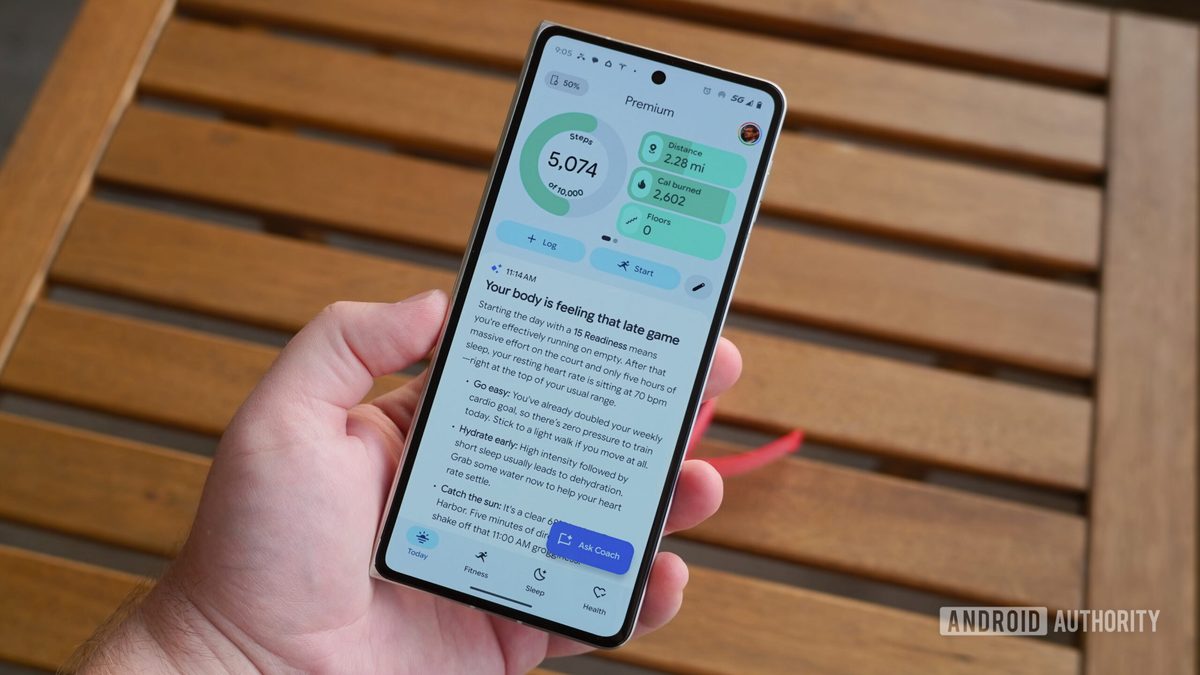
Photo: Android Authority
Quick answer
Google Health updated its app to allow users to disable AI-generated Health Coach recommendations in the 'Today' tab.
Google has rolled out an update to its Google Health app, introducing the ability to hide AI-generated recommendations from the Health Coach assistant in the 'Today' section. This feature is available in version 5.06 for both Android and iOS, targeting premium subscribers of Google Health Premium, where Health Coach is a key feature.
Powered by the Gemini model, Health Coach uses data stored in Google Health to generate personalized recommendations. Previously, the assistant occupied a significant portion of the main screen, leading to user dissatisfaction due to excessive or inaccurate suggestions. Users can now disable these tips in the app settings while still accessing the assistant through other sections.
The update is already rolling out via the Google Play Store and App Store. The option to disable AI tips was added following user feedback during testing, where many complained about the intrusiveness of the recommendations. Google emphasizes that Health Coach does not replace medical consultations but offers general advice based on collected data.
Common questions
- What is Google Health's Health Coach?
- Health Coach is an AI assistant powered by Gemini that analyzes user data in Google Health to provide personalized recommendations. It is exclusively available to Google Health Premium subscribers.
- How do I disable AI tips in Google Health?
- Go to app settings via your profile avatar, select the 'Coach' section, and enable the 'No Coach insights' option. This hides AI tips only from the 'Today' tab without disabling the assistant entirely.
- Why do users criticize Health Coach?
- Some users report that Health Coach recommendations are often inaccurate or overwhelming, negatively impacting the app experience. The update addresses this by allowing users to hide these tips while retaining access to the assistant when needed.
Dzen feed: /feed/dzen.xml · RSS: /feed.xml