
Google Vids Now Lets You Create Videos with Your Own AI Avatar
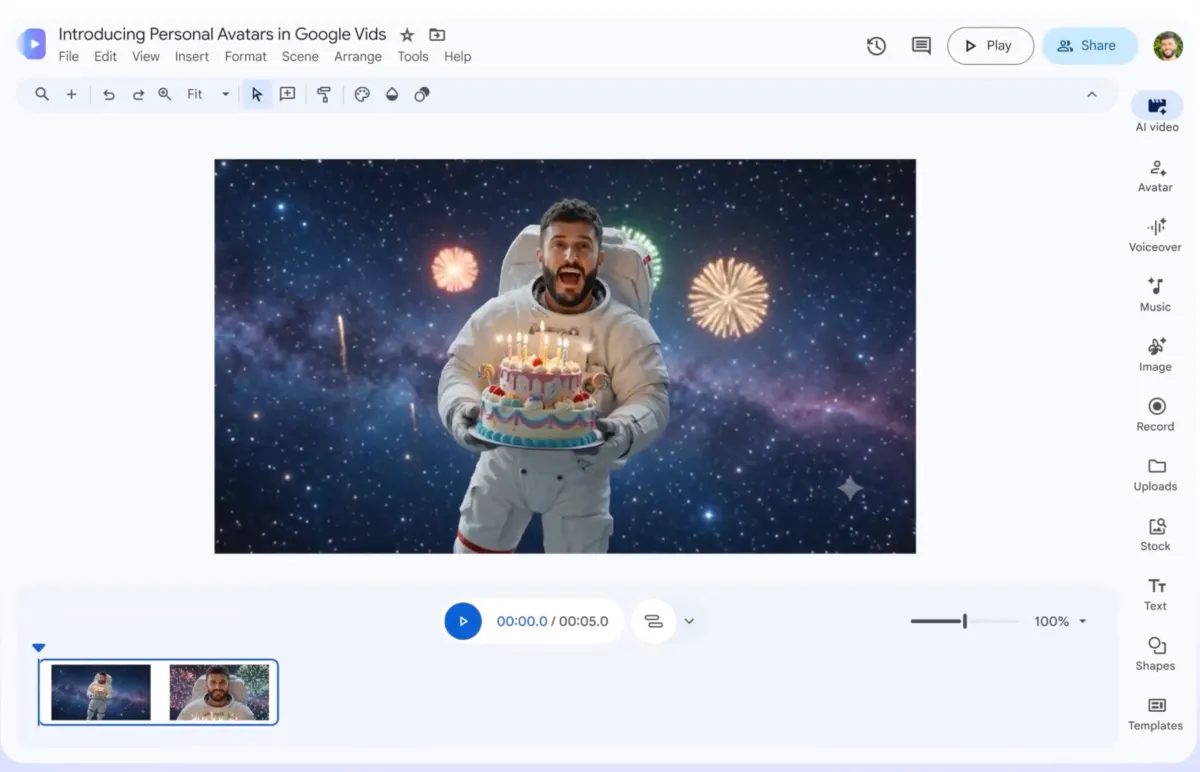
Photo: TechCrunch
Quick answer
Google Vids now supports AI avatars created from selfies and voice recordings, alongside text-to-video generation and multi-step editing via Gemini Omni.
Google has rolled out an update for its Google Vids tool, allowing users to create personalized AI avatars. Simply upload a selfie and voice recording—the system will replicate your appearance and speech patterns. These avatars are tied to your account and protected by SynthID’s invisible watermark, preventing unauthorized use.
Additionally, Google integrated the multimodal Gemini Omni model into Vids. Users can now generate videos from text prompts and uploaded images, as well as edit existing footage. For example, you can change backgrounds, adjust lighting, or add special effects. The editing process is now step-by-step, simplifying changes without starting from scratch.
The updated Google Vids positions itself as a versatile video production platform for the corporate sector. It’s ideal for creating training materials, internal company updates, or marketing videos. These new features bring it closer to competitors like HeyGen and Synthesia, which also offer AI avatar-based video solutions.
Access to the avatar creation feature is limited to users over 18 and is not available in all regions. Google emphasizes that the tool is intended for legitimate business use and does not support creating content featuring third parties without their consent.
Common questions
- What’s new in Google Vids?
- Google Vids now supports AI avatars that replicate your appearance and voice. It also integrates with the Gemini Omni model for text-to-video generation and multi-step editing.
- How do I create an AI avatar in Google Vids?
- Upload a selfie and voice recording to generate a digital double linked to your account. The system automatically creates your personalized avatar.
- What tasks does the updated Google Vids solve?
- The tool is designed for corporate video production, training materials, and presentations. New features enable quick editing, background changes, and special effects.
Dzen feed: /feed/dzen.xml · RSS: /feed.xml