
HyperDroid: Turn Your Android Device into Windows 11
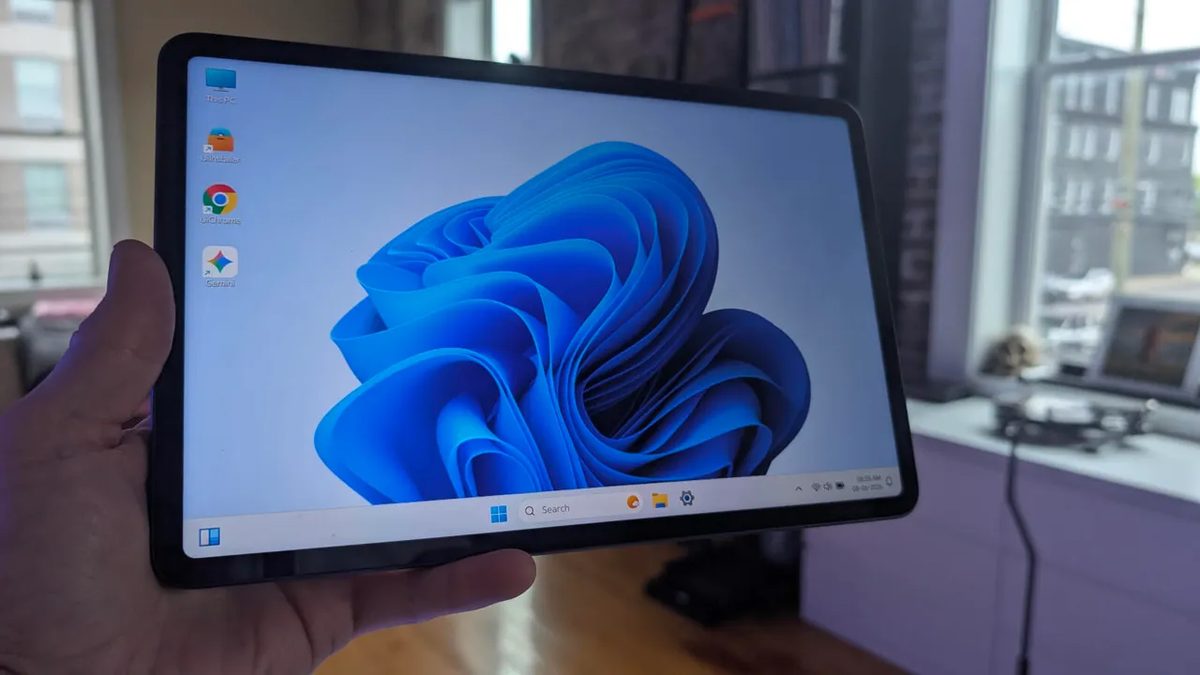
Photo: ZDNet
Quick answer
HyperDroid is a free Android launcher that mimics the Windows 11 interface. Ideal for tablets, it offers a taskbar, Start menu, and desktop but has widget issues and lacks portrait mode support.
Developers have introduced HyperDroid, a new Android launcher that completely transforms the mobile OS interface to resemble Windows 11. The app is free on Google Play and supports key desktop-style elements: a taskbar, Start menu, desktop with app shortcuts, and a system tray with quick settings.
Testing revealed that HyperDroid performs best on tablets. On smartphones, the interface may feel cramped, and the launcher does not support portrait mode. Among the drawbacks are widget issues: they occasionally lose internet access and require a launcher restart. Otherwise, performance and animations remain smooth, and setup is straightforward.
HyperDroid can be installed via Google Play. After installation, users must enable the launcher in system settings and select it as the default. It's important to note that the app does not turn Android into Windows—it only changes the interface appearance without adding support for Windows apps or peripherals.
Common questions
- What is HyperDroid?
- A launcher for Android that changes the device's interface to resemble Windows 11. It supports a taskbar, desktop, and system tray but does not run Windows apps.
- On which devices does HyperDroid work best?
- The launcher is optimized for tablets, as smartphones may feel cramped due to small screens and lack of portrait mode support.
- Does HyperDroid have limitations?
- Yes, some features are unstable: widgets may lose internet access and require a restart. The launcher also does not support Windows apps.
Dzen feed: /feed/dzen.xml · RSS: /feed.xml