
iOS 27: 7 Key AI-Powered Siri Improvements
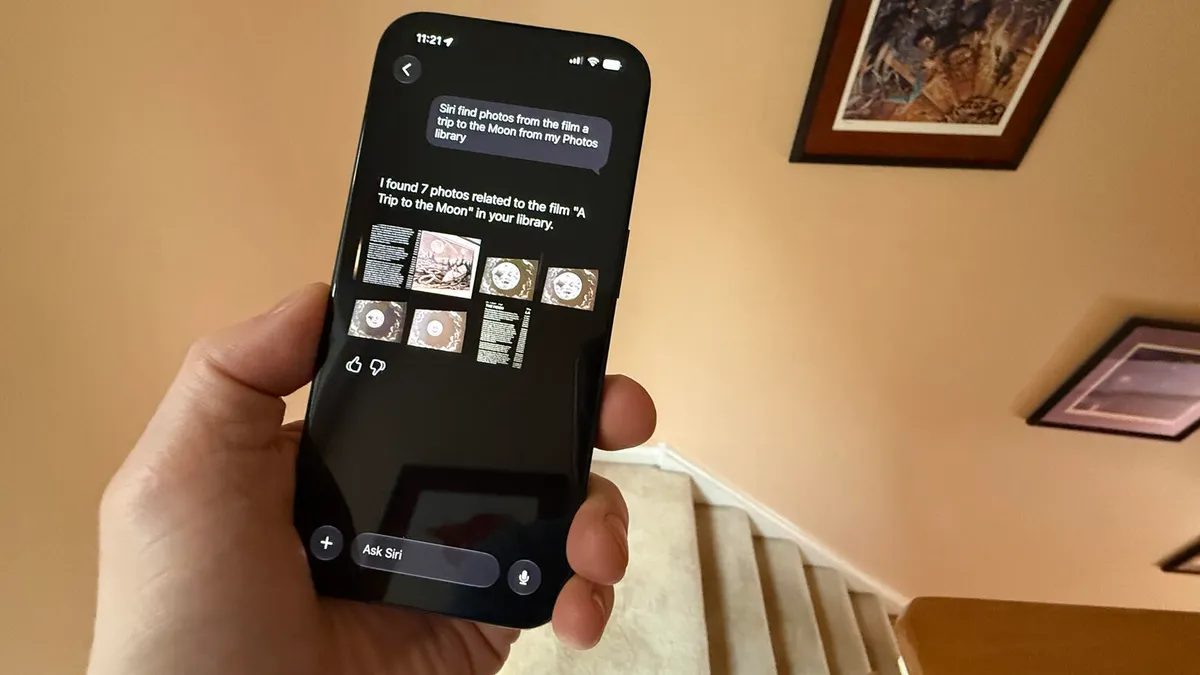
Photo: ZDNet
Quick answer
iOS 27 introduces an AI-enhanced Siri with improved accuracy, visual intelligence, and deeper system integration.
Apple has released the first public beta of iOS 27, featuring an upgraded Siri voice assistant powered by artificial intelligence. According to ZDNet’s reviewer, who tested the new version for a month, Siri is now significantly more reliable and functional, addressing many flaws from previous releases.
Key changes include a redesigned visual interface: instead of a glowing border around the screen, Siri now appears as a compact bubble at the top of the display. The assistant executes commands more accurately, particularly in vehicles via CarPlay. For example, when requesting a route to a contact’s address, Siri now correctly recognizes the data rather than pulling results from the internet.
iOS 27 introduces a dedicated Siri app, allowing users to send voice or text requests and review conversation history. The assistant is now integrated with the camera, enabling users to ask questions about objects captured by the lens using Visual Intelligence. Additionally, Siri can interact with the current screen—for instance, after opening a webpage, users can ask the assistant to plot a route to a specified location.
The new Siri requires modern iPhone models, including iPhone 15 Pro/Pro Max and newer devices. Advanced features, such as voice customization, are exclusive to iPhone 17 Pro/Pro Max or iPhone Air. The official release of iOS 27 is expected in September.
Common questions
- Which devices support the new AI-powered Siri in iOS 27?
- The updated Siri is available on iPhone 15 Pro/Pro Max, iPhone 16, and iPhone 17. Advanced features like voice customization require iPhone 17 Pro/Pro Max or iPhone Air.
- How does the new Siri differ from previous versions?
- The new Siri offers higher accuracy, faster response times, camera integration, on-screen interaction, and a dedicated app for managing requests. Its interface is also more minimalist.
- Can I install the iOS 27 beta on my primary smartphone?
- Apple recommends installing beta versions on secondary devices due to potential bugs. Installation is available via iPhone settings under 'Software Update'.
Dzen feed: /feed/dzen.xml · RSS: /feed.xml