
How to Turn the Moto Razr* Smartphone into a Mini Workstation: ZDNet’s Experiment
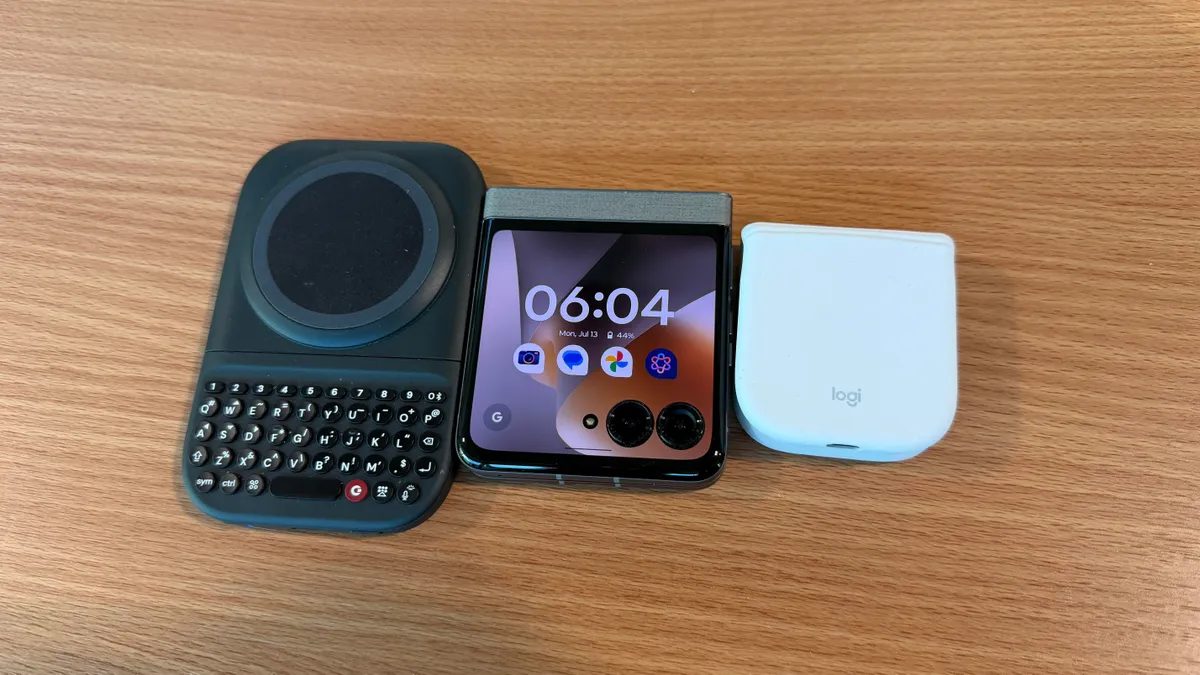
Photo: ZDNet
Quick answer
ZDNet journalist created an ultra-compact workstation using the Moto Razr*, Clicks Power Keyboard, and Logitech Mobi Fold mouse, weighing just 480 grams.
ZDNet journalist Adam Doud set out to test how minimalist a mobile workstation could be. He chose the Moto Razr* smartphone, renowned for its foldable design and 3.6-inch external display. Thanks to its 'tent mode,' the device can stand upright without additional stands, simplifying work on the go.
The smartphone was paired with the Clicks Power Keyboard, which attaches to the back via MagSafe and unfolds like the Palm Pre. The keyboard features a full numeric keypad and supports wireless charging for the smartphone. For navigation, the foldable Logitech Mobi Fold mouse was used—compact enough for a pocket and easily deployable when needed.
The total weight of the setup was just 480 grams, eliminating the need for a backpack and enabling work even in cramped conditions, such as on an airplane. However, the experiment also revealed significant limitations: the smartphone’s small screen is inconvenient for long sessions, and despite its ergonomic layout, the keyboard lags behind virtual keyboards in typing speed.
The author acknowledges that this setup is more of a curious experiment than a practical solution. While a laptop remains the more convenient and functional choice for daily use, an ultra-portable station could serve as a useful alternative in certain situations.
Common questions
- Which devices were used to create the mini workstation?
- The setup included the Moto Razr* smartphone with a 3.6-inch display, the Clicks Power Keyboard with magnetic attachment, and the Logitech Mobi Fold foldable mouse. All devices support wireless charging and fit easily in a pocket.
- What are the advantages of such a workstation?
- The main benefits are portability and autonomy. The setup weighs less than 500 grams, requires no desk for operation, and ensures constant connectivity. It’s ideal for mobility-focused scenarios, such as travel.
- Why isn’t this solution suitable for everyday work?
- The primary drawbacks include the smartphone’s small screen, an uncomfortable keyboard for extended typing, and limited mouse functionality. For serious work, a laptop remains a far more effective tool.
Dzen feed: /feed/dzen.xml · RSS: /feed.xml