
How Tags Help Organize Files and Speed Up Search
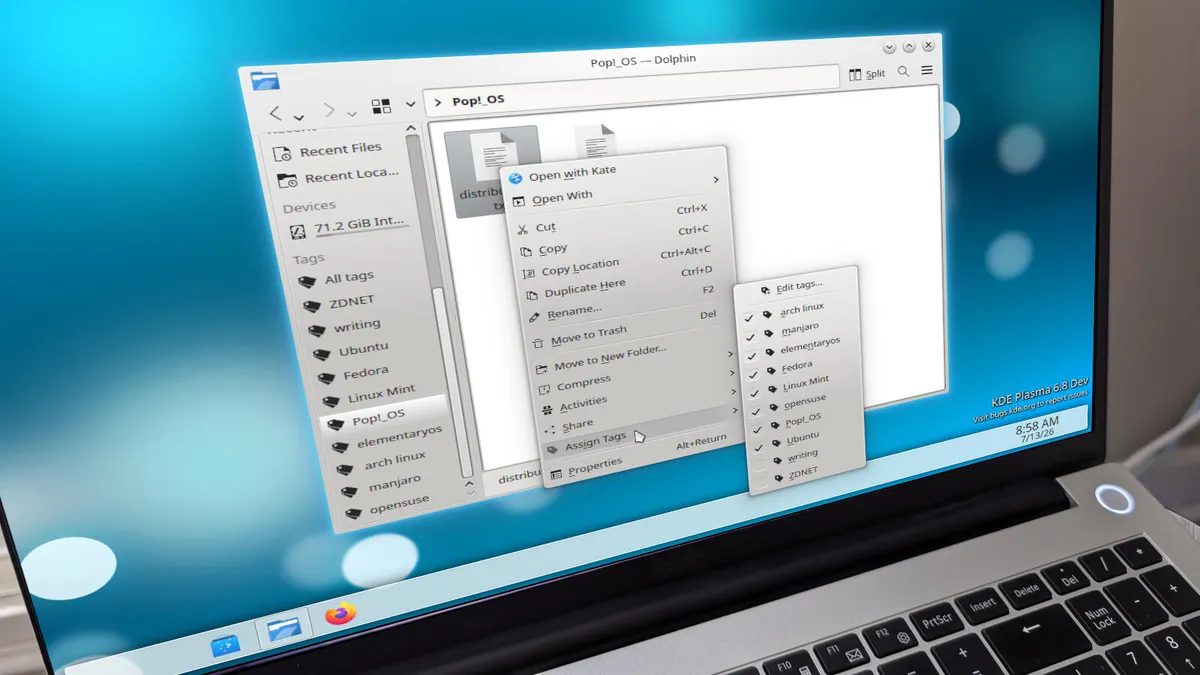
Photo: ZDNet
Quick answer
Tags in file managers allow structuring files by labels instead of folders, speeding up search and simplifying data organization.
Modern file managers offer powerful tools for searching and filtering files, but many users still prefer manually browsing folders, wasting time searching for the right document. One of the most effective ways to organize data is through tags—labels assigned to files for quick search and structuring.
Tags work on the principle of a relational database: they link files by common attributes rather than storage location. For example, you can tag all documents related to a specific project, client, or topic and then find them with a single click. This is especially useful when files are scattered across different directories but logically belong to the same category.
The tagging feature is supported in macOS (Finder), Windows, and some Linux environments like KDE Plasma. In the latter, you can right-click a file, select 'Edit Tags,' and enter the desired labels separated by commas. The default Android file manager lacks this feature, though third-party apps may offer it.
Despite their clear advantages, tags remain an underrated tool. They not only speed up search but also help maintain order in data, avoiding chaos in folder structures. If you often waste time searching for files, this method is worth trying—it can significantly simplify document management.
Common questions
- What are tags in file managers?
- Tags are labels assigned to files for categorization and quick search. They allow grouping files by meaning rather than storage location.
- Which operating systems support tags?
- Tags are supported in macOS, Windows, iOS, iPadOS, and some Linux environments like KDE Plasma. The default Android file manager lacks this feature.
- How do I add tags to a file?
- In most file managers, right-click the file, select 'Tags' or 'Edit Tags,' and add the desired labels. In KDE Plasma, you can enter multiple tags separated by commas.
Dzen feed: /feed/dzen.xml · RSS: /feed.xml