
How to Protect Your SIM Card from Swapping: US Carrier Settings
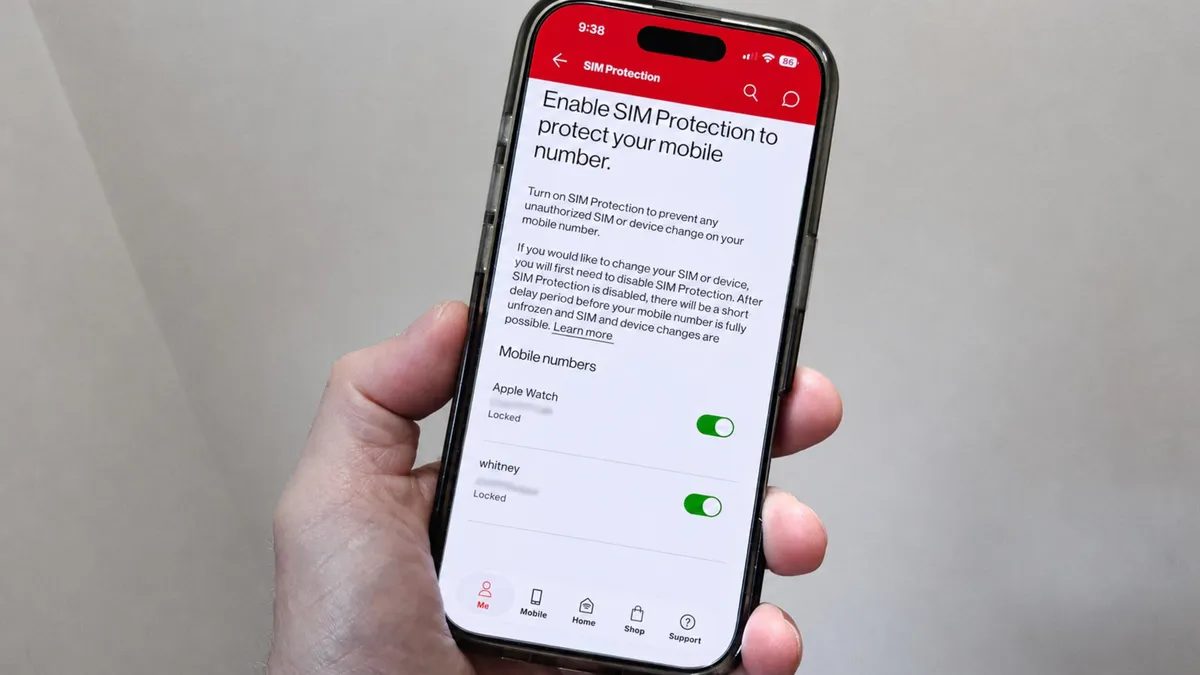
Photo: ZDNet
Quick answer
SIM swapping is a fraudulent scheme where attackers transfer a victim's phone number to their own SIM card to intercept SMS-based two-factor authentication codes and gain unauthorized account access.
SIM swapping attacks pose a serious threat to mobile users. Fraudsters may trick carriers into transferring a number to a new SIM or even bribe employees to execute the change. Once successful, attackers gain access to SMS-based two-factor authentication codes, allowing them to breach bank accounts, social media profiles, and other services.
Major US carriers have implemented dedicated settings to counter these attacks. For example, Verizon offers SIM Protection and Number Lock features to block unauthorized SIM or number changes. To activate them, users must log in to their My Verizon account on the website or app, navigate to the security section, and enable the options for all lines in their plan.
T-Mobile provides a SIM Protection tool that prevents unauthorized number transfers. Users can enable this by logging into their My T-Mobile account, accessing their profile, and activating protection for the desired lines. AT&T’s Wireless Account Lock feature blocks account changes, including number transfers, and is accessible only via the carrier’s mobile app.
In addition to these measures, carriers recommend using extra security layers like biometric authentication or secret questions to verify identity. These steps help reduce the risk of unauthorized account access even if fraudulent activity is attempted.
Common questions
- What is SIM swapping and how does it work?
- SIM swapping is a fraudulent scheme where an attacker transfers a victim's phone number to their own SIM card, enabling interception of SMS-based two-factor authentication codes and unauthorized account access.
- Which US carriers offer SIM swapping protection?
- Verizon, T-Mobile, and AT&T provide settings to block unauthorized SIM changes. These features must be manually enabled via online accounts or mobile apps.
- How do I enable SIM swapping protection on Verizon?
- In Verizon’s online account or My Verizon app, activate SIM Protection and Number Lock under security settings for all lines in your plan.
Dzen feed: /feed/dzen.xml · RSS: /feed.xml