
First Impressions of Siri AI on macOS 27 Golden Gate: What the New Assistant Can Do
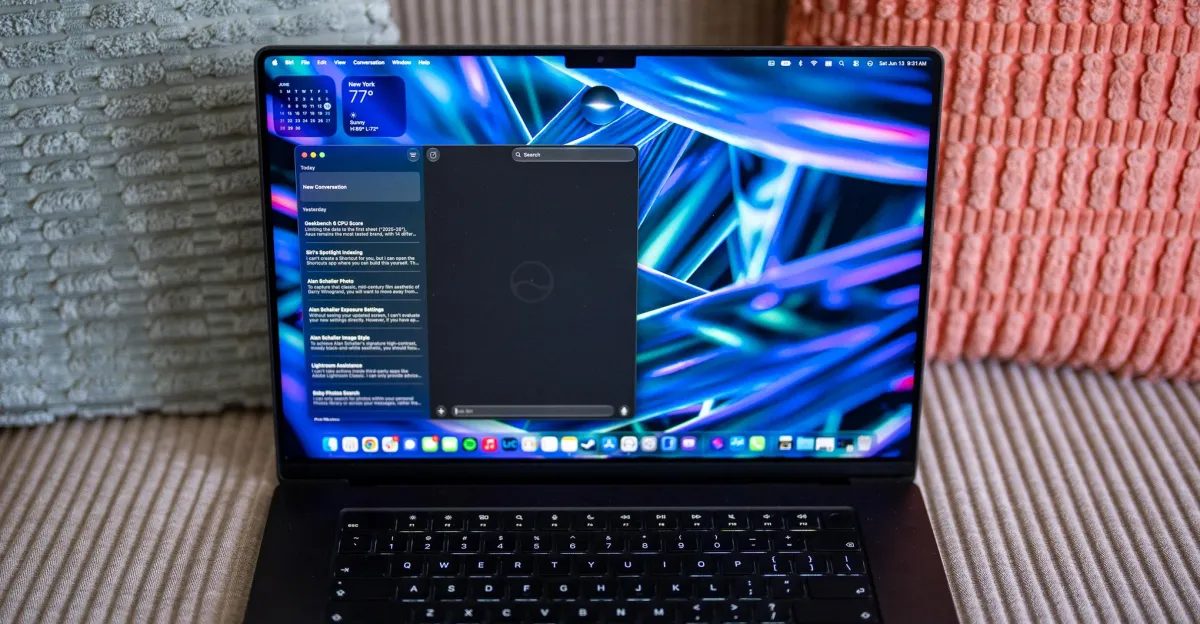
Photo: The Verge
Quick answer
Siri AI in macOS 27 Golden Gate marks Apple’s initial steps in integrating AI assistants on desktop. The assistant now analyzes file data, automates simple tasks, and offers processing recommendations.
The AI-powered version of Siri has debuted in the beta release of macOS 27 Golden Gate. The Verge’s editor spent the first 24 hours testing the updated assistant and shared insights into its capabilities and limitations. Despite being in an early development stage, Siri AI already shows potential for automating routine tasks, though its performance still has room for improvement.
One of the key innovations is the ability to analyze data in local files. For example, Siri AI can calculate average values from benchmark screenshots, distinguishing between single-core and multi-core processor results. However, when handling large datasets or mixed test types, the assistant occasionally makes errors, reducing its practical value. Ideally, Siri should process dozens of screenshots in a single request, but this remains partially achievable for now.
Integration with Apple’s ecosystem remains Siri AI’s strongest suit. The assistant seamlessly locates photos in the Photos app or messages in iMessage but ignores data from third-party services like Google Photos, Signal, or Lightroom. Even when files are stored locally, Siri sometimes fails to recognize them. This limitation makes the assistant less useful for users who don’t rely exclusively on Apple products.
Automation capabilities also leave much to be desired. While Siri AI can launch apps, it cannot perform actions within them. Attempts to create automated workflows via Shortcuts for running benchmarks have been unsuccessful: the assistant either forgets to initiate the test or requires manual intervention. The situation may improve in the future if developers expand App Intents support.
Despite these limitations, Siri AI represents a notable step forward for Apple. For now, the assistant is most useful for users whose data resides within Apple’s ecosystem, though even they should not expect flawless performance. The final version of macOS 27 Golden Gate is expected later this year, and Siri AI’s functionality may evolve significantly by then.
Common questions
- What new features does Siri AI offer in macOS 27?
- Siri AI can now analyze data in local files, such as calculating average values from benchmark screenshots, and provide photo-editing recommendations. Shortcuts integration has also been added for task automation.
- Does Siri AI work with third-party apps?
- Currently, Siri AI is limited to Apple’s ecosystem and struggles with third-party apps like Google Sheets, Lightroom, or Signal. It often fails to recognize even locally stored files from these programs.
- How accurate is Siri AI in its current version?
- Siri AI’s accuracy is inconsistent: it may misinterpret large datasets or test results, occasionally providing incorrect calculations or superficial advice.
Dzen feed: /feed/dzen.xml · RSS: /feed.xml