
Why Samsung Galaxy Outperforms Google Pixel: 5 Key Advantages
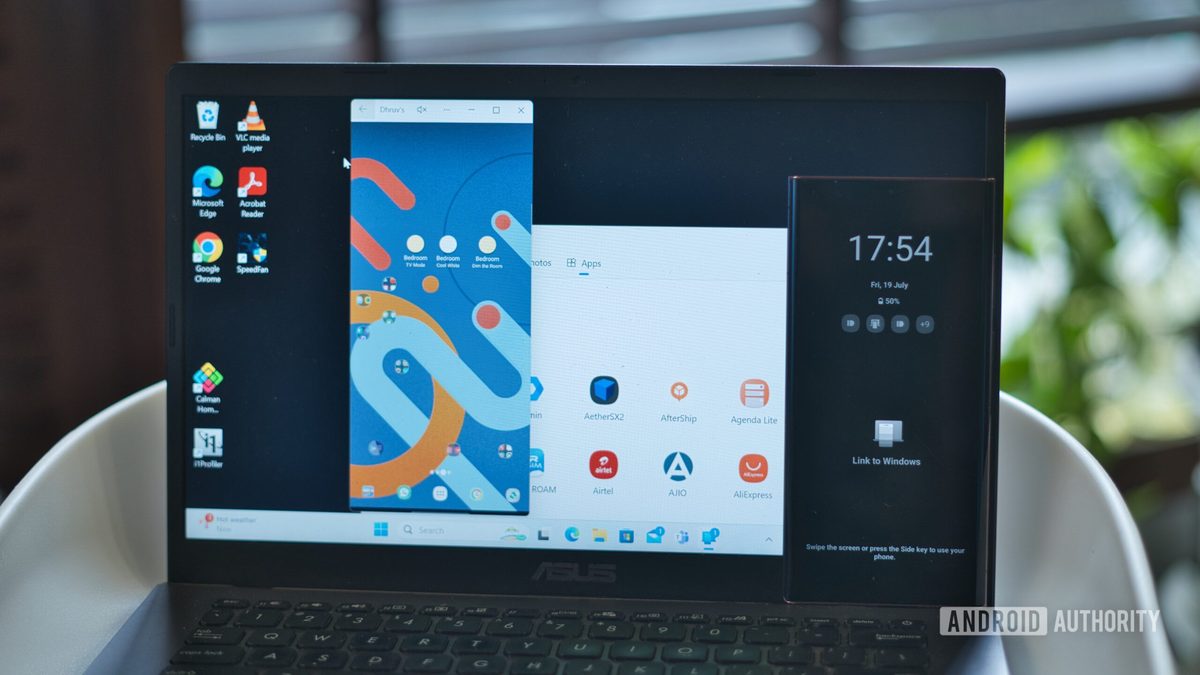
Photo: Android Authority
Quick answer
Смартфоны Google Pixel славятся чистой версией Android, быстрыми обновлениями и отличными камерами, но многие пользователи предпочитают Samsung Galaxy. Автор Android Authority рассказывает, какие пять функций делают Galaxy более функциональными и удобными для повседневного использования. Среди них — расширенная кастомизация интерфейса, мощные инструменты автоматизации и глубокая интеграция с Windows. Эти преимущества позволяют Galaxy оставаться лидером для тех, кто ценит гибкость и продуктивность.
Google Pixel smartphones attract users with their clean Android experience, fast updates, and exclusive features like 'Add Me' in photos. However, according to an Android Authority expert, Samsung’s Galaxy series offers a range of unique capabilities that make it a more versatile choice for demanding users.
One of Galaxy’s standout advantages is its interface customization flexibility. While Pixel adopts a minimalist approach with limited customization options, Samsung allows deep system personalization through the Good Lock app. Users can modify keyboard layouts, customize the lock screen, add widgets, and even decorate the Always On Display with stickers. Additionally, Galaxy supports advanced gestures and an improved one-handed mode, enhancing usability.
Another key difference lies in Samsung’s pre-installed apps. Although critics often criticize the company for bundling too many proprietary apps, many of them outperform Google’s alternatives. For instance, Samsung Notes integrates seamlessly with system functions, supports automatic formatting, PDF annotation, and quick access from the lock screen. Samsung Gallery offers more convenient local photo search compared to Google Photos, which is limited to cloud-based images. Users can combine the best apps from both ecosystems without sacrificing functionality.
Task automation is another area where Galaxy excels. The Modes and Routines feature enables users to create complex scenarios based on triggers like battery levels or time of day. For example, you can automatically switch to power-saving mode when the battery is low or launch a morning briefing after the alarm turns off. Compared to Google’s Pixel Rules, which offers a limited set of actions, Samsung provides far greater flexibility for automating daily tasks.
Equally important is Galaxy’s Windows integration. Samsung offers dedicated PC apps, clipboard synchronization, RCS messaging support, and the Instant Hotspot feature, which allows users to share mobile data with a computer without a password. For Windows users, this makes Galaxy an indispensable tool. Finally, Samsung DeX transforms the smartphone into a full-fledged desktop with multitasking support, making it especially valuable for those looking to replace a laptop with a mobile device.
Common questions
- Common questions
- Смартфоны Google Pixel славятся чистой версией Android, быстрыми обновлениями и отличными камерами, но многие пользователи предпочитают Samsung Galaxy. Автор Android Authority рассказывает, какие пять функций делают Galaxy более функциональными и удобными для повседневного использования. Среди них — расширенная кастомизация интерфейса, мощные инструменты автоматизации и глубокая интеграция с Windows. Эти преимущества позволяют Galaxy оставаться лидером для тех, кто ценит гибкость и продуктивность.
Dzen feed: /feed/dzen.xml · RSS: /feed.xml