
reMarkable Paper Pure: Hands-On Review of the Distraction-Free Tablet
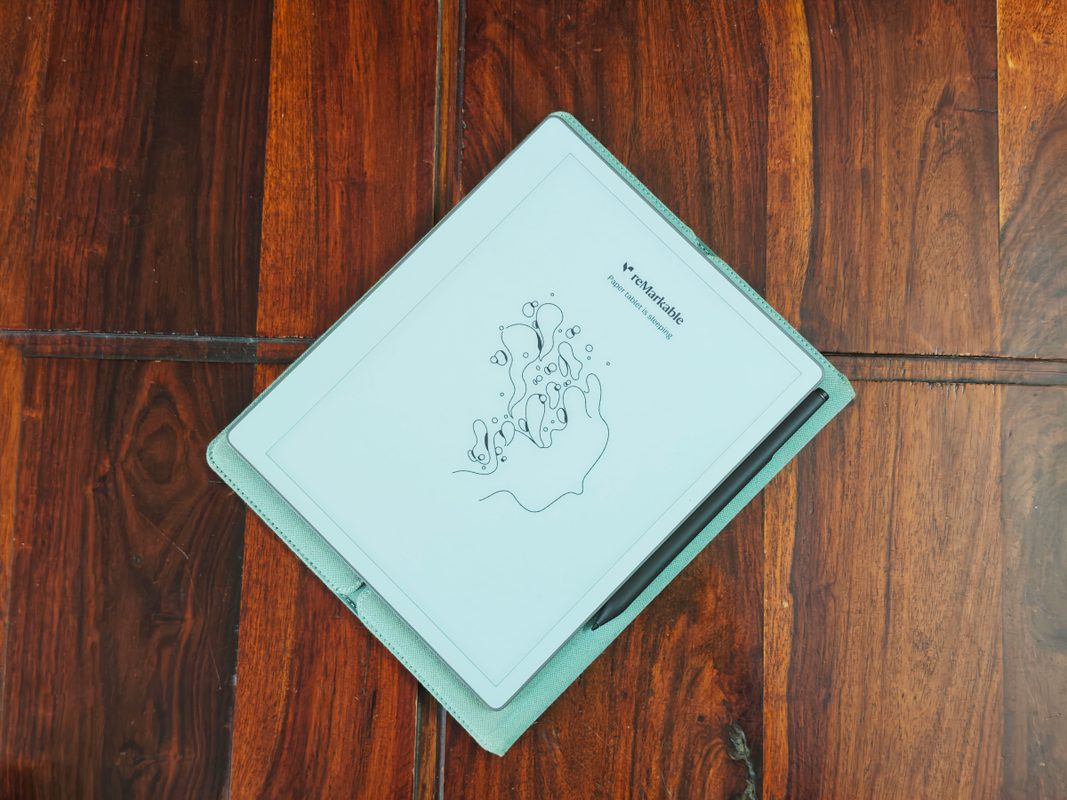
Photo: TechCrunch
Quick answer
reMarkable launched the Paper Pure tablet for $399, designed for distraction-free work. The device features a 10.3-inch monochrome display with improved resolution and integrates with calendars and cloud services.
reMarkable has released the new Paper Pure tablet, marketed as a tool for productive, distraction-free work. Priced at $399, the device continues the company’s line of gadgets for users who prefer handwritten notes and a minimalist tech approach. Unlike the reMarkable 2, launched six years ago, Paper Pure boasts an upgraded 10.3-inch monochrome display with adjusted resolution, allowing for more horizontal text placement.
One of the key improvements is calendar integration: users can now view meeting details and instantly transition to creating notes within the relevant time block. The handwritten note search function has also been refined, simplifying navigation through large volumes of information. Notes can be converted to text and shared via the web app or email, making the device ideal for collaborative work.
Paper Pure supports synchronization with cloud services like Google Drive, Dropbox, and OneDrive, enabling seamless document import and export. However, PDF handling remains imperfect: page edges may be cropped, and the e-book reading experience lags behind dedicated e-readers. Despite this, the device excels at drafting ideas, sketches, and document work—especially in environments where minimizing distractions is critical.
In its base configuration at $399, the tablet includes a stylus, while the $449 version adds the Marker Plus stylus with an eraser function and a protective case. Despite its premium price, Paper Pure fulfills its purpose: it helps users stay focused on tasks by eliminating the temptation to switch to social media or other apps.
Common questions
- How does reMarkable Paper Pure differ from previous models?
- Paper Pure features an updated monochrome display with adjusted resolution, enhanced handwritten note search, and calendar integration. Unlike Paper Pro, it lacks a color screen.
- What synchronization options does Paper Pure offer?
- The device supports integration with Google Drive, Dropbox, and OneDrive, along with calendar synchronization for quick access to notes by meetings. Notes can be exported via the web app or email.
- Is Paper Pure suitable for reading books?
- While the device supports ePUB format, its reading experience falls short compared to dedicated e-readers like Kindle. Paper Pure excels in document and note management instead.
Dzen feed: /feed/dzen.xml · RSS: /feed.xml