
Hidden iPhone Feature for Background Noise: How to Use It
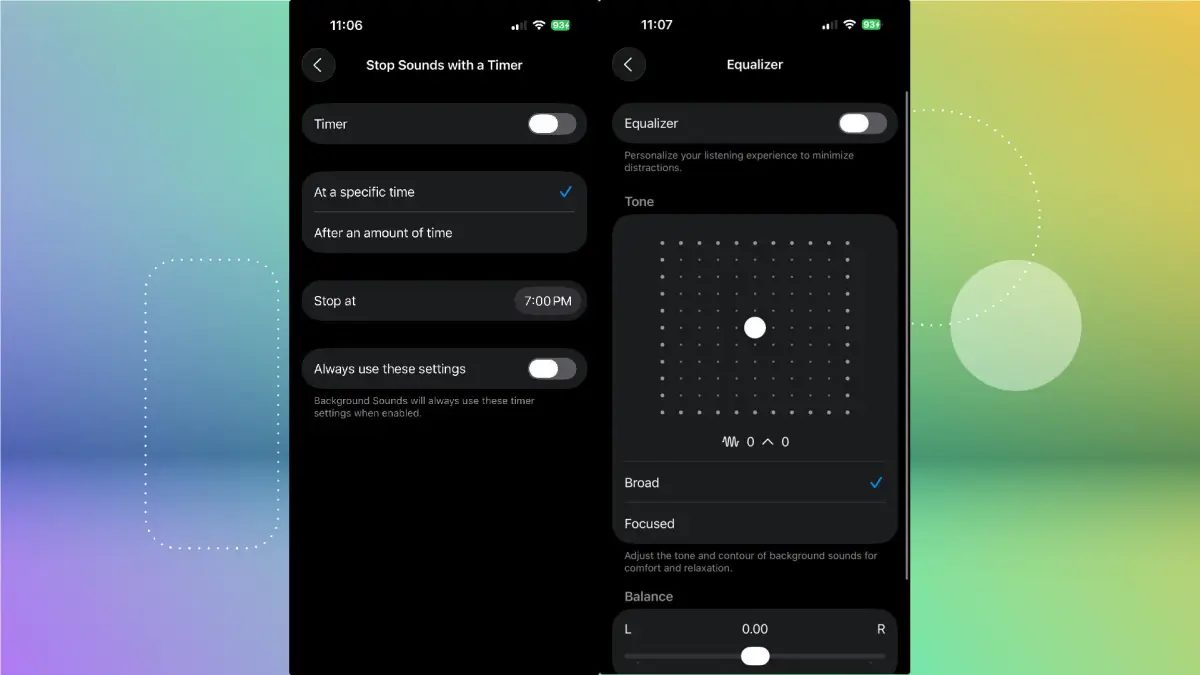
Photo: CNET
Quick answer
The Background Sounds feature on iPhone enables playback of ambient sounds (white noise, natural noises) to enhance sleep, focus, or mask unwanted noise. Available since iOS 15, it was expanded in iOS 16.
The Background Sounds feature, introduced in iOS 15, turns your iPhone into a white noise generator. Initially, it offered six sound options: natural sounds (rain, stream, ocean) and white noise in various tones. With iOS 16, the selection expanded to over a dozen sounds, including rain on a roof or café ambiance. This feature is useful not only for parents soothing babies but also for those working in noisy environments or needing to mask distracting sounds.
For quick access, add a toggle to Control Center. Open Control Center, tap the '+' icon in the top-left corner, select 'Add Control,' and find 'Background Sounds' under 'Hearing.' The toggle will appear in Control Center, allowing one-tap activation. Alternatively, set up an accessibility shortcut: triple-click the side button to enable or disable sounds instantly.
In the feature’s settings, you can select a sound, adjust volume, and configure additional options. For example, 'Stop Sounds When Locked' automatically pauses background sounds when the device locks. iOS 16 and later introduce new capabilities like an equalizer for tone adjustment and a timer for automatic shutdown, making Background Sounds even more flexible and convenient.
Common questions
- What sounds are available in the Background Sounds feature on iPhone?
- iOS 15 offers six sounds: rain, stream, ocean, bright, balanced, and dark white noise. iOS 16 and later add more options, including rain on a roof and café ambiance.
- How can I quickly enable background sounds on iPhone?
- Add a toggle to Control Center or set up an accessibility shortcut to activate sounds with a triple-click of the side button. This provides instant access without navigating settings each time.
- Can I use background sounds alongside music or videos?
- Yes, the feature includes an option to 'Use with media playback,' allowing you to combine background sounds with other audio files seamlessly.
Dzen feed: /feed/dzen.xml · RSS: /feed.xml