
Zorin OS: How to Customize Your Desktop for Windows, macOS, or Linux
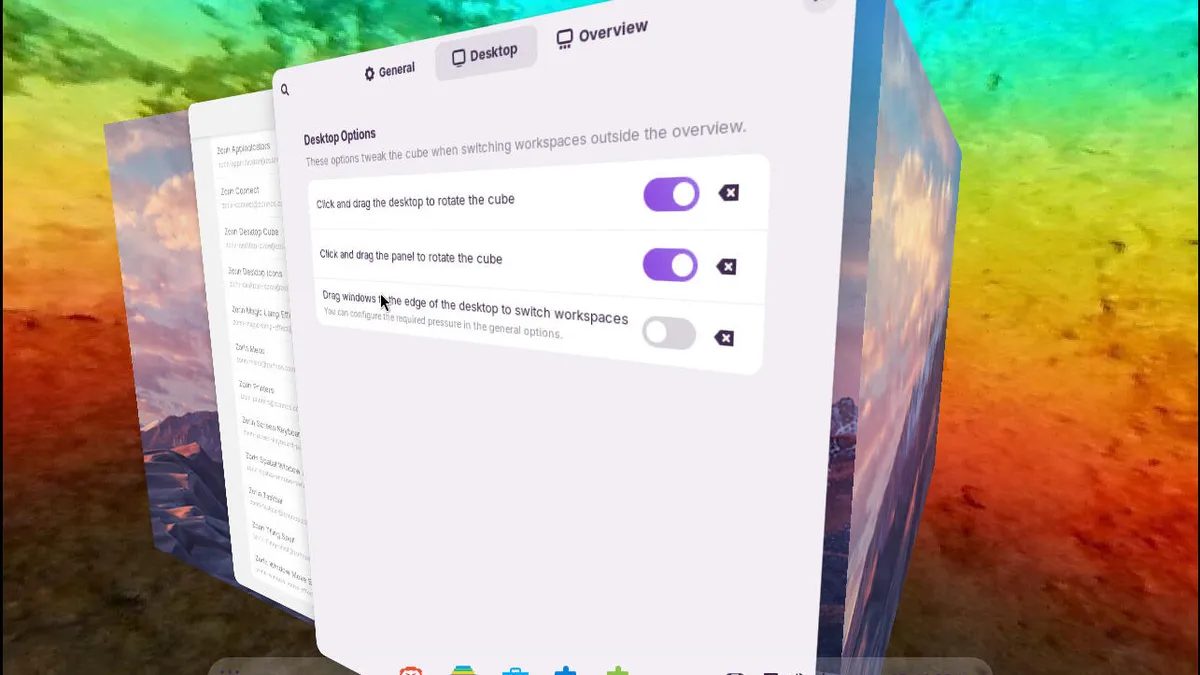
Photo: ZDNet
Quick answer
Zorin OS 18.1 — гибкий Linux-дистрибутив с кастомизацией интерфейса под Windows, macOS или Linux. Инструмент Zorin Appearance и расширения позволяют настроить рабочий стол под любые предпочтения.
Zorin OS continues to grow in popularity among users seeking an alternative to Windows and macOS. Over the past six months, version 18.1 of the distribution has been downloaded more than 3.3 million times, underscoring its demand. The operating system combines aesthetic design, high performance, and flexible customization, enabling users to adapt the interface to their preferences.
The primary customization tool is Zorin Appearance. With it, users can select from pre-installed layouts that mimic Windows, macOS, or Linux interfaces, as well as adjust themes, animations, window placement, and other settings. The free version offers four basic layouts, including two Windows-like options and two GNOME-based designs. Pro version users gain additional choices, such as macOS, Windows 11, Ubuntu, and KDE Plasma layouts.
Beyond layout selection, Zorin OS provides advanced customization through the Extensions app. Here, users can add and configure GNOME extensions like Custom Hot Corners for screen corner actions, Zorin Taskbar for taskbar customization, or Zorin Desktop Cube for a 3D workspace-switching effect. These tools enable the creation of a unique interface distinct from standard solutions.
Developers emphasize that Zorin OS suits both Linux beginners and experienced users. The setup process is intuitive yet offers deep customization options. For example, users can enable Jelly Mode for smooth window animations or configure auto-focus on hover. Customization time depends on user preference—from minutes to hours.
Common questions
- Что такое Zorin OS и чем он отличается от других Linux-дистрибутивов?
- Zorin OS — это гибкий дистрибутив Linux, который предлагает широкие возможности кастомизации интерфейса. Он выделяется возможностью адаптировать внешний вид под Windows, macOS или классический Linux, а также высокой производительностью и удобством.
- Как настроить интерфейс Zorin OS под Windows или macOS?
- Для настройки интерфейса используйте инструмент Zorin Appearance. В бесплатной версии доступны макеты, имитирующие Windows или GNOME, а в Pro-версии — дополнительные опции, включая макеты под macOS, Windows 11, Ubuntu и KDE Plasma.
- Какие инструменты кастомизации доступны в Zorin OS?
- Основной инструмент — Zorin Appearance для выбора макетов и тем. Также доступны расширения, такие как Custom Hot Corners, Zorin Taskbar и Zorin Desktop Cube для тонкой настройки интерфейса.
- Подходит ли Zorin OS для новичков?
- Да, Zorin OS подходит как для новичков, так и для опытных пользователей. Процесс настройки интуитивно понятен, но предоставляет глубокие возможности для кастомизации.
Dzen feed: /feed/dzen.xml · RSS: /feed.xml